#487 Test-Driven Development with Python
Book Notes - Test-Driven Development with Python: Obey the Testing Goat: Using Django, Selenium, and JavaScript by Harry Percival. First published January 1, 2010. Third Edition 2025.
Notes
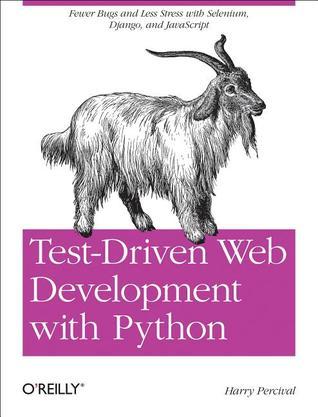
I first got this in its beta release for the first edition. The third edition was released in 2025.
Contents
PartI. The Basics of TDD and Django
- 1 - Getting Django Set Up Using a Functional Test
- Obey the Testing Goat! Do Nothing Until You Have a Test
- Getting Django Up and Running
- Starting a Git Repository
- 2 - Extending Our Functional Test Using the unittest Module
- Using a Functional Test to Scope Out a Minimum Viable App
- The Python Standard Library’s unittest Module
- Implicit waits
- Commit
- 3 - Testing a Simple Home Page with Unit Tests
- Our First Django App, and Our First Unit Test
- Unit Tests, and How They Differ from Functional Tests
- Unit Testing in Django
- Django’s MVC, URLs, and View Functions
- At Last! We Actually Write Some Application Code!
- urls.py
- Unit Testing a View
- The Unit-Test/Code Cycle
- 4 - What Are We Doing with All These Tests?
- Programming Is like Pulling a Bucket of Water up from a Well
- Using Selenium to Test User Interactions
- The “Don’t Test Constants” Rule, and Templates to the Rescue
- Refactoring to Use a Template
- On Refactoring
- A Little More of Our Front Page
- Recap: The TDD Process
- 5 - Saving User Input
- Wiring Up Our Form to Send a POST Request
- Processing a POST Request on the Server
- Passing Python Variables to Be Rendered in the Template
- Three Strikes and Refactor
- The Django ORM and Our First Model
- Our First Database Migration
- The Test Gets Surprisingly Far
- A New Field Means a New Migration
- Saving the POST to the Database
- Redirect After a POST
- Better Unit Testing Practice: Each Test Should Test One Thing
- Rendering Items in the Template
- Creating Our Production Database with migrate
- 6 - Getting to the Minimum Viable Site
- Ensuring Test Isolation in Functional Tests
- Running Just the Unit Tests
- Small Design When Necessary
- YAGNI!
- REST
- Implementing the New Design Using TDD
- Iterating Towards the New Design
- Testing Views, Templates, and URLs Together with the Django Test Client
- A New Test Class
- A New URL
- A New View Function
- A Separate Template for Viewing Lists
- Another URI and View for Adding List Items
- A Test Class for New List Creation
- A URL and View for New List Creation
- Removing Now-Redundant Code and Tests
- Pointing Our Forms at the New URL
- Adjusting Our Models
- A Foreign Key Relationship
- Adjusting the Rest of the World to Our New Models
- Each List Should Have Its Own URI
- Capturing Parameters from URLs
- Adjusting new _list to the New World
- One More View to Handle Adding Items to an Existing List
- Beware of Greedy Regular Expressions!
- The Last New URL
- The Last New View
- But How to Use That URL in the Form?
- A Final Refactor Using URL includes
- Ensuring Test Isolation in Functional Tests
Part II. Web Development Sine Qua Nons
- 7 - Prettification: Layout and Styling, and What to Test About It
- What to Functionally Test About Layout and Style Prettification: Using a CSS Framework
- Django Template Inheritance
- Integrating Bootstrap
- Rows and Columns
- Static Files in Django
- Switching to StaticLiveServerTestCase
- Using Bootstrap Components to Improve the Look of the Site
- Jumbotron!
- Large Inputs
- Table Styling
- Using Our Own CSS
- What We Glossed Over: collectstatic and Other Static Directories
- A Few Things That Didn’t Make It
- 8 - Testing Deployment Using a Staging Site
- TDD and the Danger Areas of Deployment
- As Always, Start with a Test Getting a Domain Name
- Manually Provisioning a Server to Host Our Site
- Choosing Where to Host Our Site
- Spinning Up a Server
- User Accounts, SSH, and Privileges
- Installing Nginx
- Configuring Domains for Staging and Live
- Using the FT to Confirm the Domain Works and Nginx Is Running
- Deploying Our Code Manually
- Adjusting the Database Location
- Creating a Virtualenv
- Simple Nginx Configuration
- Creating the Database with migrate
- Getting to a Production-Ready Deployment
- Switching to Gunicorn
- Getting Nginx to Serve Static Files Switching to Using Unix Sockets
- Switching DEBUG to False and Setting ALLOWED_HOSTS
- Using Upstart to Make Sure Gunicorn Starts on Boot
- Saving Our Changes: Adding Gunicorn to Our requirements.txt
- Automating
- “Saving Your Progress”
- 9 - Automating Deployment with Fabric…
- Breakdown of a Fabric Script for Our Deployment
- Trying It Out
- Deploying to Live
- Nginx and Gunicorn Config Using sed
- Git Tag the Release
- Further Reading
- 10 - Input Validation and Test Organisation.
- Validation FT: Preventing Blank Items
- Skipping a Test
- Splitting Functional Tests out into Many Files
- Running a Single Test File
- Fleshing Out the FT
- Using Model-Layer Validation
- Refactoring Unit Tests into Several Files
- Unit Testing Model Validation and the self assertRaises Context Manager
- A Django Quirk: Model Save Doesn’t Run Validation
- Surfacing Model Validation Errors in the View
- Checking Invalid Input Isn’t Saved to the Database
- Django Pattern: Processing POST Requests in the Same View as Renders the Form
- Refactor: Transferring the new_item Functionality into view_list
- Enforcing Model Validation in view_list
- Refactor: Removing Hardcoded URLs
- The
{\% url \%}Template Tag
- The
- Using
get_absolute_urlfor Redirects
- Validation FT: Preventing Blank Items
- 11 - A Simple Form
- Moving Validation Logic into a Form
- Exploring the Forms API with a Unit Test
- Switching to a Django ModelForm
- Testing and Customising Form Validation
- Using the Form in Our Views
- Using the Form in a View with a GET Request
- A Big Find and Replace
- Using the Form in a View That Takes POST Requests
- Adapting the Unit Tests for the new _list View
- Using the Form in the View
- Using the Form to Display Errors in the Template
- Using the Form in the Other View
- A Helper Method for Several Short Tests
- Using the Form’s Own Save Method
- Moving Validation Logic into a Form
- 12 - More Advanced Forms
- Another FT for Duplicate Items
- Preventing Duplicates at the Model Layer
- A Little Digression on Queryset Ordering and String Representations
- Rewriting the Old Model Test
- Some Integrity Errors Do Show Up on Save
- Experimenting with Duplicate Item Validation at the Views Layer
- A More Complex Form to Handle Uniqueness Validation
- Using the Existing List Item Form in the List View
- Another FT for Duplicate Items
- 13 - Dipping Our Toes, Very Tentatively, into JavaScript
- Starting with an FT
- Setting Up a Basic JavaScript Test Runner
- Using jQuery and the Fixtures Div
- Building a JavaScript Unit Test for Our Desired Functionality
- Javascript Testing in the TDD Cycle
- Columbo Says: Onload Boilerplate and Namespacing
- A Few Things That Didn’t Make It
- 14 - Deploying Our New Code..
- Staging Deploy
- Live Deploy
- What to Do If You See a Database Error
- Wrap-Up: git tag the New Release
Part III. More Advanced Topics
- 15 - User Authentication, Integrating Third-Party Plugins, and Mocking with JavaScript.
- Mozilla Persona (BrowserID)
- Exploratory Coding, aka “Spiking”
- Starting a Branch for the Spike
- Frontend and JavaScript Code
- The Browser-ID Protocol
- The Server Side: Custom Authentication
- De-spiking
- A Common Selenium Technique: Explicit Waits
- Reverting Our Spiked Code
- JavaScript Unit Tests Involving External Components: Our First Mocks!
- Housekeeping: A Site-Wide Static Files Folder
- Mocking: Who, Why, What?
- Namespacing
- A Simple Mock to Unit Tests Our initialize Function
- More Advanced Mocking
- Checking Call Arguments
- QUnit setup and teardown, Testing Ajax
- More Nested Callbacks! Testing Asynchronous Code
- 16 - Server-Side Authentication and Mocking in Python
- A Look at Our Spiked Login View
- Mocking in Python
- Testing Our View by Mocking Out authenticate
- Checking the View Actually Logs the User In
- De-spiking Our Custom Authentication Backend: Mocking Out an Internet
- Request
- 1 if = 1 More Test
- Patching at the Class Level
- Beware of Mocks in Boolean Comparisons
- Creating a User if Necessary
- The get_user Method
- A Minimal Custom User Model
- A Slight Disappointment
- Tests as Documentation
- Users Are Authenticated
- The Moment of Truth: Will the FT Pass?
- Finishing Off Our FT, Testing Logout
- 17 - Test Fixtures, Logging, and Server-Side Debugging
- Skipping the Login Process by Pre-creating a Session
- Checking It Works
- The Proof Is in the Pudding: Using Staging to Catch Final Bugs
- Setting Up Logging
- Fixing the Persona Bug
- Managing the Test Database on Staging
- A Django Management Command to Create Sessions
- Getting the FT to Run the Management Command on the Server
- An Additional Hop via subprocess
- Baking In Our Logging Code
- Using Hierarchical Logging Config
- Wrap-Up
- Skipping the Login Process by Pre-creating a Session
- 18 - Finishing “My Lists”: Outside-In TDD
- The Alternative: “Inside Out”
- Why Prefer “Outside-In”?
- The FT for “My Lists”
- The Outside Layer: Presentation and Templates
- Moving Down One Layer to View Functions (the Controller)
- Another Pass, Outside-In
- A Quick Restructure of the Template Inheritance Hierarchy
- Designing Our API Using the Template
- Moving Down to the Next Layer: What the View Passes to the Template
- The Next “Requirement” from the Views Layer: New Lists Should Record
- Owner
- A Decision Point: Whether to Proceed to the Next Layer with a Failing Test
- Moving Down to the Model Layer
- Final Step: Feeding Through the name API from the Template
- 19 - Test Isolation, and “Listening to Your Tests”
- Revisiting Our Decision Point: The Views Layer Depends on Unwritten
- Models Code
- A First Attempt at Using Mocks for Isolation
- Using Mock side _effects to Check the Sequence of Events
- Listen to Your Tests: Ugly Tests Signal a Need to Refactor
- Rewriting Our Tests for the View to Be Fully Isolated
- Keep the Old Integrated Test Suite Around as a Sanity Check
- A New Test Suite with Full Isolation
- Thinking in Terms of Collaborators
- Moving Down to the Forms Layer
- Keep Listening to Your Tests: Removing ORM Code from Our Application
- Finally, Moving Down to the Models Layer
- Back to Views
- The Moment of Truth (and the Risks of Mocking)
- Thinking of Interactions Between Layers as “Contracts”
- Identifying Implicit Contracts
- Fixing the Oversight
- One More Test
- Tidy Up: What to Keep from Our Integrated Test Suite
- Removing Redundant Code at the Forms Layer
- Removing the Old Implementation of the View
- Removing Redundant Code at the Forms Layer
- Conclusions: When to Write Isolated Versus Integrated Tests
- Let Complexity Be Your Guide
- Should You Do Both?
- Onwards!
- Revisiting Our Decision Point: The Views Layer Depends on Unwritten
- 20 - Continuous Integration (CI)
- Installing Jenkins
- Configuring Jenkins Security
- Adding Required Plugins
- Setting Up Our Project
- First Build!
- Setting Up a Virtual Display so the FTs Can Run Headless
- Taking Screenshots
- A Common Selenium Problem: Race Conditions
- Running Our QUnit JavaScript Tests in Jenkins with PhantomJS
- Installing node
- Adding the Build Steps to Jenkins
- More Things to Do with a CI Server
- Installing Jenkins
- 21 - The Token Social Bit, the Page Pattern, and an Exercise for the Reader
- An FT with Multiple Users, and addCleanup
- Implementing the Selenium Interact/Wait Pattern
- The Page Pattern
- Extend the FT to a Second User, and the “My Lists” Page
- An Exercise for the Reader
- 22 - Fast Tests, Slow Tests, and Hot Lava
- Thesis: Unit Tests Are Superfast and Good Besides That
- Faster Tests Mean Faster Development
- The Holy Flow State
- Slow Tests Don’t Get Run as Often, Which Causes Bad Code
- We’re Fine Now, but Integrated Tests Get Slower Over Time
- Don’t Take It from Me
- And Unit Tests Drive Good Design
- The Problems with “Pure” Unit Tests
- Isolated Tests Can Be Harder to Read and Write
- Isolated Tests Don’t Automatically Test Integration
- Unit Tests Seldom Catch Unexpected Bugs
- Mocky Tests Can Become Closely Tied to Implementation
- But All These Problems Can Be Overcome
- Synthesis: What Do We Want from Our Tests, Anyway?
- Correctness
- Clean, Maintainable Code
- Productive Workflow
- Evaluate Your Tests Against the Benefits You Want from Them
- Architectural Solutions
- Ports and Adapters/Hexagonal/Clean Architecture
- Functional Core, Imperative Shell
- Conclusion
- Thesis: Unit Tests Are Superfast and Good Besides That
Appendices
- Obey the Testing Goat!
- A. PythonAnywhere
- B. Django Class-Based Views
- C. Provisioning with Ansible
- D. Testing Database Migrations
- E. Behaviour-Driven Development (BDD)
- F. Cheat Sheet
- G. What to Do Next
- H. Bibliography
Getting the Example Source
git clone https://github.com/hjwp/book-example.git example_source